


I get it: a lot of small business owners don’t need more marketing tools. They need the right few tools that solve their actual problems without wasting money, time, or adding unnecessary complexity.
That’s where many “best tools” lists go wrong. They hand you forty options and leave you to figure out which ones are worth using and which aren’t.
But this guide does the opposite. I kept it simple with a short list of tools split into the categories that matter: email, social media, design, SEO, analytics, and CRM. Two or three options in each category, free and paid. This will help you find a few reliable tools that actually fit your business.
How to choose marketing tools for a small business?
Before we get into the tools, a quick word:
Small business owners tend to pick tools the wrong way. They sign up for whatever everyone’s talking about, then try to figure out where it fits. A few months later, they’re paying for three tools that do the same thing, two they don’t use, and one they forgot to cancel.
Picking the right tool isn’t really about features. It’s about what your business actually needs. So before you sign up for anything, ask yourself four things:
Where are my customers coming from right now?
Select the tool for your strongest channel first. If most of your customers find you through Google or word of mouth, start with a CRM and a review tool. If they come from social media or email, start with a scheduler and an email tool. If you’re B2B, you’ll need a CRM and a content tool.
How much can I spend each month?
Pick a number you’re comfortable with, and stick to it. For small businesses, under $50 a month is a good place to start. You can always add more later if revenue grows.
Will I actually use it?
Be honest. If it needs a weekend of setup, you won’t open it again. Choose tools you can use in under an hour.
Does it integrate with what I already use? (if applicable)
Manual data entry between tools is work, not progress. Check if it connects with your website, email tool, or e-commerce platform before signing up.
Once you’ve got answers to those questions, the list below will make a lot more sense. You’ll know exactly what to skip and what to try.
14 marketing tools for small businesses (by category)
Here’s the full list, broken into six areas: email, social media, design, SEO, analytics, and CRM. For every tool, I’ve covered who it’s best for and what to watch out for before you commit.
Best email marketing tools
You’ve got people who already showed interest. Someone who bought it once. A lead who asked for a quote. Subscribers who went quiet. The problem is, staying in touch with all of them takes time you don’t have, so most of them get forgotten and never buy again.
That’s what these tools help fix. They keep you connected to people who already know you, let you send offers now and then, and handle your follow-up emails automatically.
Here are a few worth your time:
1. Mailchimp
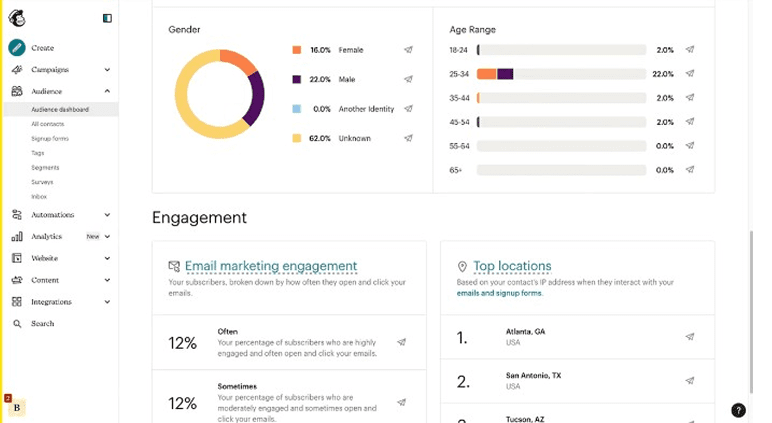
Mailchimp is a familiar name in small business email marketing. You might have heard of it, even if you’ve never sent an email campaign. It’s used by businesses across 175+ countries.
A lot of small business owners end up using it because their web designer or agency set them up on it years ago. And they just never bothered to switch.
It’s a solid starting point if you want a tool that covers the basics well without asking you to learn anything complicated.
Best for
Local businesses, product brands, and e-commerce stores that want a familiar email tool with audience management and abandoned-cart automations.
Key features
- Drag-and-drop builder with 100+ ready-made templates
- Automations for welcome emails and cart recovery
- Built-in contact list and a basic CRM
- A/B tests for subject lines and send times
- AI suggestions when you’re stuck writing emails
Limitations
- Advanced AI features locked behind paid plans
- The interface has gotten cluttered over the years
Pricing
| Free | Essentials | Standard | Premium |
| $0 | ~$4/month | ~$6/month | ~$120/month |
2. MailerLite
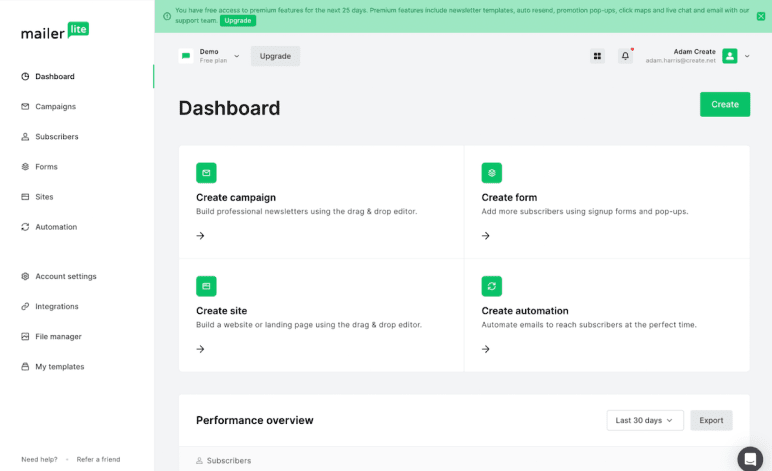
MailerLite is what people switch to when Mailchimp feels like too much. Fewer menus. Fewer popup upsells. An interface you can actually figure out without watching YouTube tutorials first.
It does the things small businesses actually send. Newsletters, promotions, welcome emails. That kind of thing. Nothing fancy, nothing buried under three submenus.
The free plan is one of the most generous out there: 500 subscribers and 12,000 emails a month. The majority of owners stay on it for the first year. People upgrade when their list crosses 500 contacts or when they want to drop the MailerLite logo from their emails.
Best for
Solo founders, newsletter writers, and small service businesses that send 1-2 emails a week and want a clean email tool.
Key features
- Drag-and-drop builder with pre-built templates
- Up to 10 free landing pages and unlimited signup forms included
- Visual automation workflow builder for welcome sequences and product launches
- Built-in AI writing assistant for subject lines and copy (Advanced plan only)
- Free website builder included on every plan, no separate subscription needed
Limitations
- MailerLite logo can’t be removed on the free plan
- Manual account approval required (24-hour wait for new accounts)
- AI writing assistant only on the Advanced plan ($18/month)
Pricing
| Free | Growing Business | Advanced |
| $0 | $9/month | $18/month |
3. Klaviyo
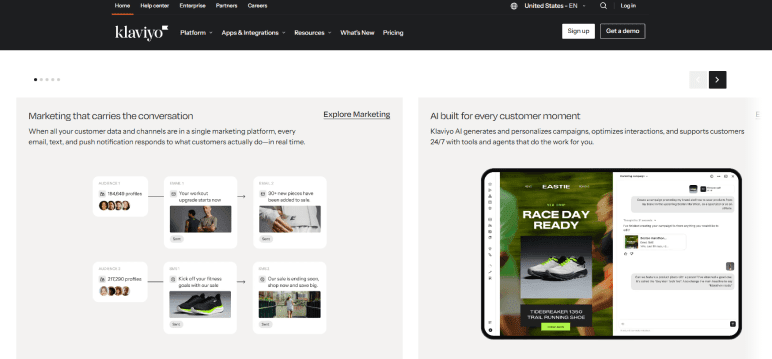
Klaviyo is an email and SMS marketing platform built specifically for e-commerce. Over 193,000 brands use it, including names you’d recognize, like Vans, Paul Smith, Unilever, and The Body Shop.
It connects to Shopify, WooCommerce, BigCommerce, and many other store platforms, and it uses your customers’ purchase history to decide what to send them. Your emails and texts go out based on that, not based on a generic newsletter list.
It also has two AI agents now. K:AI Marketing Agent and K:AI Customer Agent both launched in 2025. The first one writes your campaigns and sets up your automated flows. The second one chats with shoppers and recommends products to them.
Best for
E-commerce stores on Shopify, WooCommerce, or BigCommerce that want email and SMS in one place, and have at least a few hundred customers to market to.
Key features
- Pre-built automations for abandoned cart, post-purchase, and win-back flows
- Built-in SMS marketing with shared customer profiles
- Purchase-based segmentation that pairs customers with offers
- Free ROI calculator
- Access to the annual Klaviyo Marketing Benchmarks Report
Limitations
- Steep learning curve, especially for non-technical owners
- Free plan limited to 250 active profiles and 500 emails per month
Pricing
| Free | Mobile messages | |
| $0 | $45 | $35 |
Best social media management tools
Posting on social media is one of the tasks that’s easy to skip for a week, then a month. You mean to get to it, but running the business always comes first, and before you know it, your last post is way older than you’d like to admit.
The problem? When you post in random bursts like that, people forget about you, and the algorithm stops showing your stuff.
A social media tool takes that off your plate. You sit down once, line up a week of posts, and they go out on their own, even on your busiest days. A few options to consider:
4. Buffer
Buffer is the social media management tool that quietly works for over 100,000 small businesses. It’s clean, fast, and doesn’t try to do too much.
What Buffer does well is the repetitive task that many owners hate. Schedule posts across a few channels, queue them up for the week, and let you walk away.
The AI Assistant is free on every plan (competitors charge extra for AI), and you can have your first post scheduled within 10 minutes of signing up.
Best for
Solo entrepreneurs and business owners with small teams running 2-4 social channels who want straightforward scheduling without a learning curve.
Key features
- Schedule posts to 11 platforms, including Instagram, TikTok, Facebook, LinkedIn, YouTube, etc.
- Free AI Assistant for captions, post ideas, and content repurposing
- Visual calendar with drag-and-drop scheduling
- Start Page: a built-in link-in-bio landing page builder
- Basic analytics on the free plan, advanced reports on paid
Limitations
- No competitor tracking or social listening built in
- Analytics history is limited on the free plan
- Per-channel pricing adds up fast past 3-4 channels
Pricing
| Free | Essentials | Team |
| $0 | $5/month | $10/month |
5. Metricool
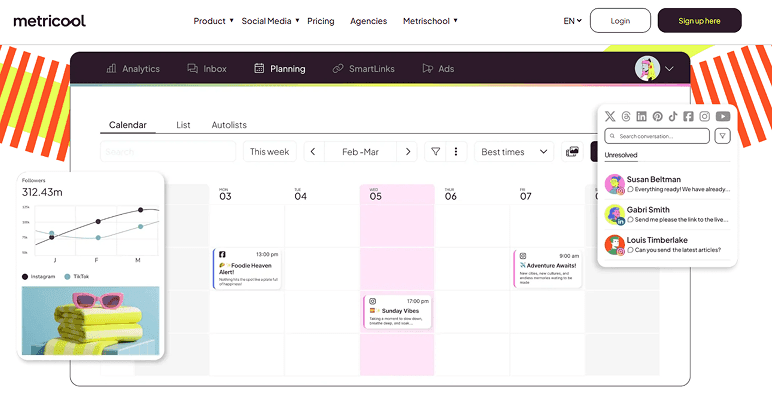
Metricool is the budget-friendly pick for owners who want everything in one dashboard without paying for three separate tools. You get scheduling, analytics, and competitor tracking all in one place.
Where it really wins is the analytics. You get real numbers on what’s working, not just “your engagement went up 8%” notifications. Owners usually pick it once they’re posting to 4+ channels and need actual data.
Over 3.5 million professionals use it, including teams at Adidas, BMW, and Burger King.
Best for
E-commerce shops, local agencies, and content-heavy founders who post across multiple platforms and need analytics + competitor tracking together.
Key features
- Free plan covers 9 social platforms (LinkedIn and Twitter/X require a paid plan)
- 5 competitor profiles to analyze on the free plan (up to 100 on paid)
- AI Assistant for content ideas and captions
- Visual content calendar with drag-and-drop scheduling
- 30 days of analytics history is free (unlimited on paid)
Limitations
- Interface is functional but less polished than Buffer
- Hashtag tracking on Instagram is a paid add-on, even on Advanced
- Customer support is chat-only, with sometimes slower response times
Pricing
| Free | Starter | Advanced | Custom |
| $0 | $20/month | $53/month | Varied |
Best design and graphics tools
Marketing runs on visuals. Every promotion, post, or ad needs an image to go with it; plain text alone rarely gets noticed. And for a small business, that’s almost a weekly thing: something new to design, again.
The problem is, you’re not a designer. Hiring one every time isn’t realistic, and pro software takes time you don’t have.
A good design tool solves that. You can start from a template that already looks professional, swap in your own text and colors, and you’re done in minutes. These are the ones to look at:
6. Canva
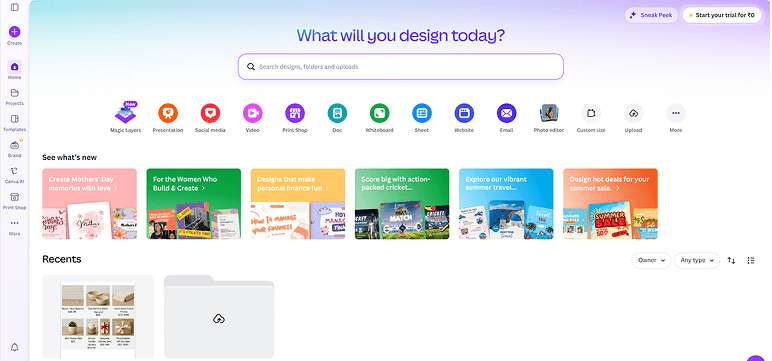
Canva is the design tool nearly every small business owner has either used or heard of. With over 170 million monthly users, it’s the obvious starting point for people who need to make their own marketing graphics.
The reason it spread this fast is that it made design accessible for anyone. You don’t need a degree or a year of practice to make something that looks decent.
You can design social posts, presentations, flyers, and even short videos in the same place, without learning a new tool for each.
Best for
Non-designers who need to make social posts, pitch decks, flyers, and one-pagers without hiring a designer or learning Photoshop.
Key features
- 250,000+ templates for social, print, presentations, and video
- 4.7 million free stock photos, graphics, and audio clips on the free plan
- Drag-and-drop editor that works on web, desktop, and mobile
- Brand kit (fonts, colors, logos) and 1 TB storage on Pro
- Background remover, Magic Studio AI, and Magic Resize on Pro
Limitations
- Magic Studio AI has monthly credit limits, even on Pro
- Video and animation features are basic compared to dedicated video tools
Pricing
| Free | Pro | Business | Enterprise |
| $0 | $15/month | $20/month | Contact sales |
7. Adobe Express
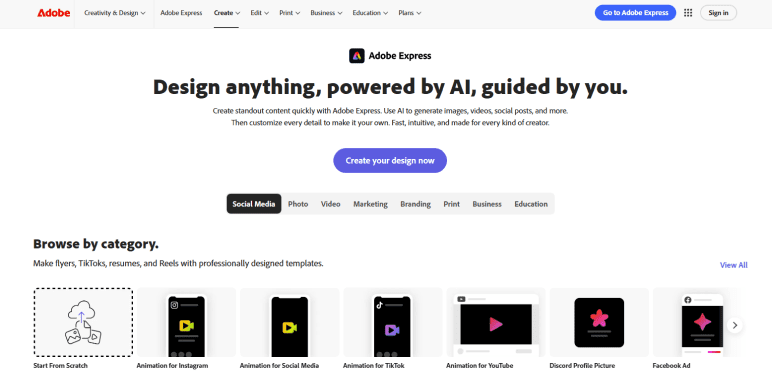
Adobe Express is a strong design tool (less famous than Canva) that does more on the AI side. The free plan covers templates, photo editing, and basic AI editing without paying for Photoshop.
The real reason to consider it is Adobe Firefly, the built-in AI that generates images licensed for commercial use. Almost no other tool can promise that.
If you publish a lot of AI-assisted visual content, that licensing piece matters more than people realize. IBM, Accenture, and Red Hat are all already using it, which is worth noting if you care about platform reliability.
Best for
Content-heavy small businesses (TikTok creators, Instagram-heavy product brands, content marketers) that need AI-generated images cleared for commercial use.
Key features
- Thousands of templates plus the full Adobe Fonts library
- Adobe Firefly AI for commercially safe image generation
- Background remover and basic photo edits on the free plan
- Works on web and mobile with cloud sync
- 250 generative AI credits per month on Premium
Limitations
- Smaller template library and limited collaboration features than Canva
- Free plan has only 2 GB of storage (less than Canva’s 5 GB)
- Lesser-known, so fewer YouTube tutorials and community resources
Pricing
| Free | Adobe Express Premium | Adobe Firefly Pro |
| $0 | $9.99/month | $19.99/month |
Best SEO and keyword research tools
If you have a website, you’re already competing to show up on Google, whether you’re working on it or not. Right now, competitors are ranking for the exact things your customers search for, and every one of those searches is a sale going to them instead of you.
Most owners skip this because it sounds complicated. The ones who try it usually write blog posts based on guesswork, with no idea if anyone’s even searching for that topic.
These tools take the guessing out. You see what people search for and what you can realistically rank for. Here are the top picks:
8. Google Search Console
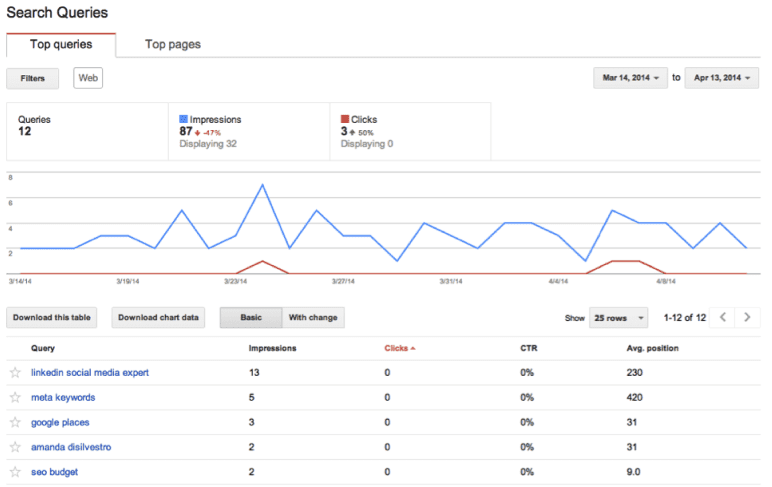
Google Search Console is an important free tool on this list, and the one that a few small business owners haven’t set up yet.
It’s the only place you get real data from Google about your site, not third-party estimates. It shows which searches bring people to your site, which pages Google has indexed, and what technical issues are hurting your visibility.
Without it, you’re flying blind. Setup takes 10 minutes and works for any website, no matter how old or new.
Best for
Any small business with a website. Local services, e-commerce stores, B2B sites, and blogs all need this on day one.
Key features
- See which searches drive traffic to your site (clicks, impressions, average position)
- Submit sitemaps and individual URLs for faster Google crawling
- Get email alerts when Google identifies issues with your site
- Use the URL Inspection tool to see how Google views any page
- Monitor Core Web Vitals, AMP performance, and rich results
Limitations
- Data has a 2-3 day delay (you won’t see today’s searches until later this week)
- Doesn’t tell you what to fix, just what’s broken
- New websites can take 4-6 weeks to start showing meaningful data
Pricing
Free forever (no usage limits)
9. Ubersuggest
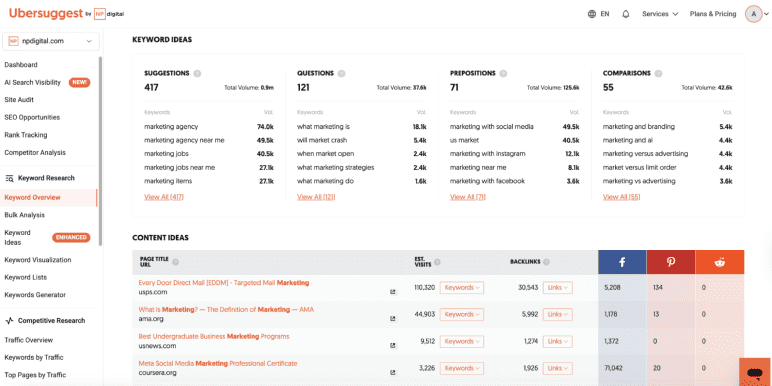
Ubersuggest is Neil Patel’s SEO tool. If you’ve watched any of his YouTube videos, you’ve probably heard him talk about it. It handles the basics. Keyword research, site audits, and rank tracking. And it’s the affordable paid option once you outgrow the free ones.
They added a new thing in 2026, which is AI Search Visibility. It checks if ChatGPT, Gemini, or Perplexity are showing your site to users. Useful if your Google rankings look fine but your traffic is dropping.
Ubersuggest won’t make you an SEO expert. But if you’re publishing a blog post or two a month, it’ll show you:
- What people are searching for
- Which keywords can you realistically rank for
- What your competitors are up to
That’s usually enough. The Chrome extension is also worth installing, even on the free plan.
Best for
Owners publishing 2-3 blog posts a month who want real keyword data, site audits, and rank tracking without paying enterprise prices.
Key features
- AI Keyword Overview with search volume, SEO difficulty, and intent analysis
- AI Search Visibility tracking (see how you rank inside ChatGPT, Gemini, Perplexity)
- Site audit tool that flags on-page SEO issues with fix suggestions
- Rank tracking for up to 25 keywords on the Individual plan
- Chrome extension with 40 free searches per day, even without a paid plan
Limitations
- Data accuracy is decent, but not as precise as Ahrefs or Semrush
- Support is email-only, with 48-72 hour response times
- No API access
Pricing
| Individual | Business | Enterprise |
| $29/month | $49/month | $99/month |
Best analytics and customer feedback tools
Every week, people visit your site, get interested, and leave without buying. You never find out who, or why.
The mistake many owners make is glancing at the visitor count and moving on. But that number doesn’t tell you anything you can really use. It won’t show you which page lost people, or what almost made someone buy before they backed out.
That’s where these tools come in. The basic ones tell you where your traffic comes from. The better ones let you watch what people actually do on your pages, so you can see the problem instead of guessing. Here’s what I’d use:
10. Google Analytics 4
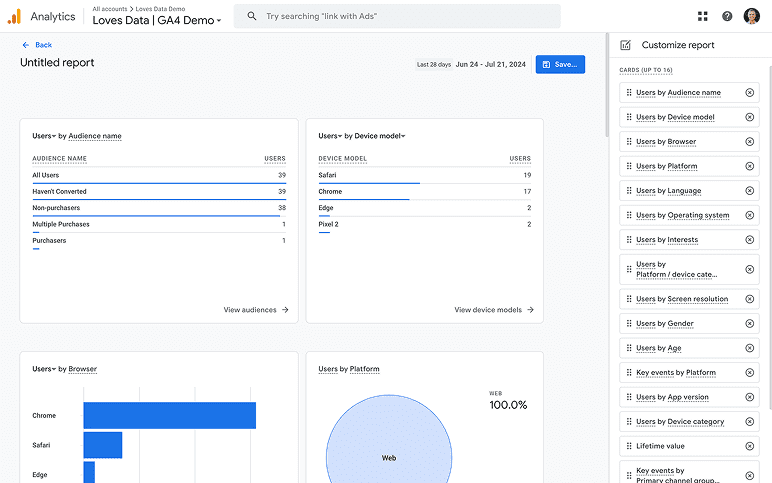
Google Analytics 4 is the free analytics tool that comes with running a website. Every small business owner already has the option to set this up. Most don’t. That’s a missed opportunity, because GA4 shows you:
- Which channels are bringing in customers
- Which pages are converting
- Which ones do people land on and immediately leave
If you set up Google Analytics before 2023 and haven’t touched it since, the data isn’t reliable anymore. Universal Analytics retired that year, and GA4 took over. The interface has a learning curve, but you only need four or five reports to get real value.
Best for
Any small business with a website that wants to know where its traffic is coming from and which pages turn visitors into customers.
Key features
- Tracks traffic sources, page views, conversions, and audience demographics
- Event-based tracking captures everything from clicks to scrolls to video plays
- Free integration with Google Search Console for SEO data and Google Ads for paid data
- Explorations feature for custom funnel analysis, path reports, and cohort analyses
- BigQuery export for raw event data (previously enterprise-only, now free)
Limitations
- Steep learning curve, especially for non-technical owners
- Set up requires conversion tagging, which owners skip all the time and lose value because of it
Pricing
Free to use
11. Microsoft Clarity
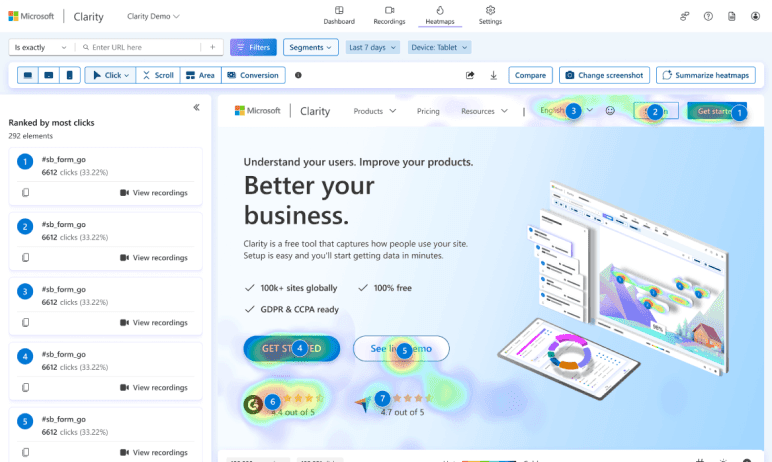
Microsoft Clarity lets you see exactly what people are doing on your website. Google Analytics tells you how many visitors landed on your pricing page. Clarity lets you watch them browse it.
You watch real session recordings of people scrolling, clicking, and giving up halfway. The heatmaps tell you which buttons get attention and which ones get ignored.
Between the two, you’ll start noticing things you’d otherwise miss. A button no one clicks. A form people give up on halfway through. Over 2 million sites use it today, and it’s completely free.
Best for
E-commerce shops, course creators, and service businesses that want to figure out where visitors drop off, click around, or get confused.
Key features
- Free heatmaps showing where people click, scroll, and lose interest
- Unlimited session recordings, no daily or traffic caps
- AI flags rage clicks and dead clicks automatically
- Copilot AI sums up long recordings in a single line
- Privacy-compliant (GDPR and CCPA) with mobile app tracking
Limitations
- Limited data export, no bulk download or API
- Fewer integrations beyond Google Analytics, no direct A/B testing or CRM connectors
Pricing
Free forever. No paid tier, no traffic limits.
12. Hotjar
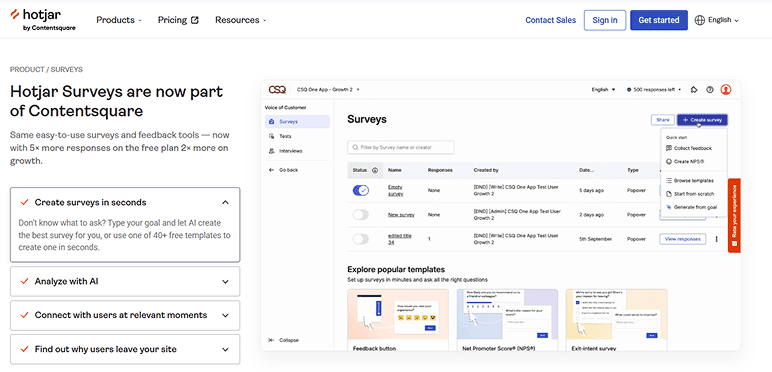
Hotjar is one of the most widely used tools for understanding what visitors actually do on your site. It does heatmaps, session recordings, and surveys in one place. Over 1.3 million websites use it, including HubSpot, HelloFresh, and Unbounce.
Where Hotjar beats Clarity is in the surveys. You can put a one-question pop-up on your pricing page and just ask people why they didn’t buy. Watching session recordings shows you what they did, not why. Surveys close that gap.
Contentsquare bought Hotjar in 2025. Practically all the things still work the same, but they’re moving pricing and plans over to the Contentsquare site.
Best for
Owners who want answers from real visitors, not just guesses based on session recordings.
Key features
- Heatmaps and session replay (plus a one-click AI summary on each replay)
- Surveys with 40+ templates and an AI generator
- Funnels that show where visitors drop off and why
- AI sentiment analysis on open survey responses
- Google Analytics, HubSpot, Optimizely, Jira, and Mixpanel integrations
Limitations
- Mobile app analytics aren’t included (only websites and web apps)
- More expensive than Clarity, which covers the same heatmap and recording features for free
Pricing
| Free | Growth | Pro | Enterprise |
| $0 | $39/month | Custom | Custom |
Best CRM and lead capture tools
When you only have a few customers, you keep track in your head or on a spreadsheet. It works for a while.
Then leads start coming in faster than you can follow up, and things slip. Someone asks for a quote, and you forget to send it. A warm lead goes quiet because nobody followed up. A deal you thought was yours goes to whoever replied first.
That’s money walking out the door, and you usually don’t even notice it happening.
A good CRM system fixes that. It keeps every lead, conversation, and deal in one place. Nothing slips just because you forgot. Below are the ones worth trying.
13. HubSpot CRM
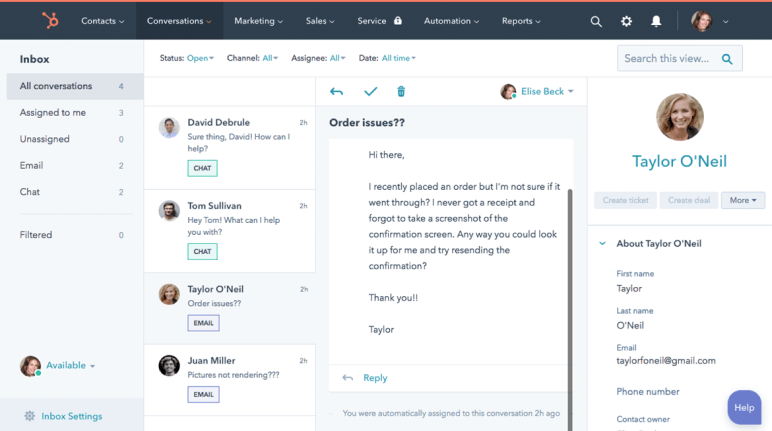
HubSpot CRM is the default free CRM small business owners start with, and is a widely used tool in the category. Over 288,000 customers across 135+ countries use it.
It’s part of HubSpot’s bigger platform, which covers marketing, sales, service, content, and commerce, all sharing the same contact database. So every email you send, every deal you log, every customer note stays in one place. No copying data between tools. No messy syncing.
A lot of free CRMs feel like product demos. HubSpot doesn’t. You can run a full business off the free plan, and when you eventually outgrow it, you upgrade only the hubs you need (Marketing, Sales, Service) without starting from scratch.
Best for
Solo founders and small teams who want a free CRM that handles the basics and can grow with them when needed.
Key features
- Track up to 1,000 contacts and unlimited deals on the free plan
- Email tracking, meeting scheduler, and basic live chat
- Free landing pages, forms, and chatbots (with HubSpot branding)
- Breeze AI for sales prep, contact research, and summarizing records
- Connects with 2,000+ apps including Gmail, Slack, Shopify, and Mailchimp
Limitations
- All free features carry HubSpot branding (forms, landing pages, emails, chat widget)
- No workflow automation, email sequences, or advanced reporting on free
Pricing
| Free | Starter | Professional | Enterprise |
| $0 | $15/month/seat | $50/month/seat | $75/month/seat |
14. Pipedrive
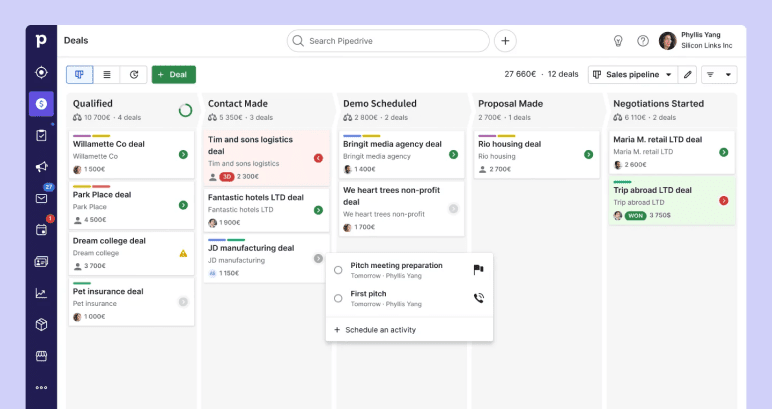
Pipedrive is a CRM made specifically for sales. Over 100,000 companies in 179 countries use it. Unlike HubSpot, it doesn’t try to be a marketing tool or a customer service tool. It just helps you close more deals.
What you’re really paying for is the pipeline view. You see every deal as a card, you drag it across stages, and you always know what’s where. The interface is clean, setup takes about an hour, and small teams actually keep using it instead of abandoning it after two weeks. That’s rare for a CRM.
A few salespeople started Pipedrive in 2010 because they were tired of dealing with messy enterprise tools.
Best for
Sales teams who want a CRM that does sales well, without all the marketing and service tools they won’t use.
Key features
- Unlimited contacts, deals, and custom pipelines on every plan
- A Kanban-style sales board where you move deals through stages by dragging them
- Two-way email sync with Gmail and Outlook on the Advanced plan and above
- AI Sales Assistant flags which deals are likely to close
- 500+ integrations, including Zapier, Slack, Zoom, and Google Workspace
Limitations
- No free plan, only a 14-day trial
- Email marketing, lead capture, and proposal tools are paid add-ons, not included in any plan
- Automation only kicks in on the upgraded plan
Pricing
| Lite | Growth | Premium | Ultimate |
| $14/user/month | $24/user/month | $49/user/month | $69/user/month |
A starter marketing stack under $50/month
I know this long list of tools sounds like a lot. You don’t need all of them to start. The typical small businesses run fine on five or six. The right combination depends on one thing: do you have $0 or around $45 a month to spend?
Here’s what I’d pick.
| Category | Free stack ($0/mo) | Paid stack (~$45/mo) |
| Mailchimp (Free) | MailerLite Growing Business ($9) | |
| Social | Buffer (Free) | Buffer Essentials ($5 for 1 channel) |
| Design | Canva (Free) | Canva Pro ($15) |
| SEO | Google Search Console | Google Search Console (free) |
| Analytics | GA4 + Microsoft Clarity | GA4 + Microsoft Clarity (free) |
| CRM | HubSpot CRM (Free) | HubSpot CRM (Free) |
I picked every tool on this list because it pulls its weight without overlapping with another. Buffer schedules what Canva designs. GA4 tracks the traffic. Mailchimp captures emails. HubSpot stores the leads.
If you’re sales-focused and need a proper pipeline view, swap HubSpot Free for Pipedrive Lite ($14/month). That brings your stack to $44 a month, still under the $50 mark.
How to measure ROI on your marketing tools
Once your marketing stack is set up, the next question is to check if your tools are really working.
A lot of small business owners try to track too many things at once. Instead, pick one number per tool and follow it for 60 days. That’s enough time to see if the tool is doing its job.
| Channel | What to track |
| Revenue or signups per send | |
| Social | Clicks to your site per week |
| SEO | Organic visits per month |
| Design | Projects you didn’t outsource |
| CRM | Leads followed up within 24 hours |
The next thing to check is your customer acquisition cost, or CAC. Don’t worry, the math is easier than it sounds.
CAC = (Tool spend + Ad spend) ÷ New customers
Let’s take an example. Your tools cost $30 a month. You spend $200 on ads. That’s $230 in spend. If 8 new customers come in that month, you spent about $29 to land each one. ($230 ÷ 8 = $29)
If those customers are worth more than $29 each to you, you’re making money.
Conclusion
You now have the full list of 14 best marketing tools for small businesses, sorted by what they actually do.
The point isn’t to convince you to sign up for all of them. It’s to help you pick one tool from whichever categories matter to your business right now, and ignore the rest. Set it up, use it for 90 days, and only think about adding more after that.
Finding tools was never the hard part. There are thousands. The hard part is knowing which few are worth your time and money. A lot of owners figure this out the slow way, after paying for things all year that they barely touched.
You don’t have to. Start with the right tools that help. What really matters is using them long enough to know if they’re paying off.
The Quickest Way to turn a Business Idea into a Business Plan
Fill-in-the-blanks and automatic financials make it easy.

Frequently Asked Questions
What are the best marketing tools for a small business?
What are the 4 tools of marketing?
What is the 3-3-3 rule in marketing?
What are some free marketing tools for small businesses?
How do I avoid using too many marketing tools?
How do I integrate different marketing tools for small business marketing?

Upmetrics
Upmetrics is the #1 business planning software that helps entrepreneurs and business owners create investment-ready business plans using AI. We regularly share business planning insights on our blog. Check out the Upmetrics blog for such interesting reads. Read more