


It’s 2026 already.
(happy new year, btw 🎉)
And if you don’t have a business plan yet, you’re off to a slow start.
Nah, don’t worry.
We’ll help you pick up the pace.
Let me show you how you can put together a structured business plan using your scattered notes in under 30 minutes.
(You should have at least that.)
Note: I’m creating a fictitious business plan here to show you the exact process. This isn’t a real business, but an example case.
Get together your scattered notes.
Point #1: You don’t need a lot of information.
A few fundamental details about your business are enough.
For instance, check out the doc I used 👇
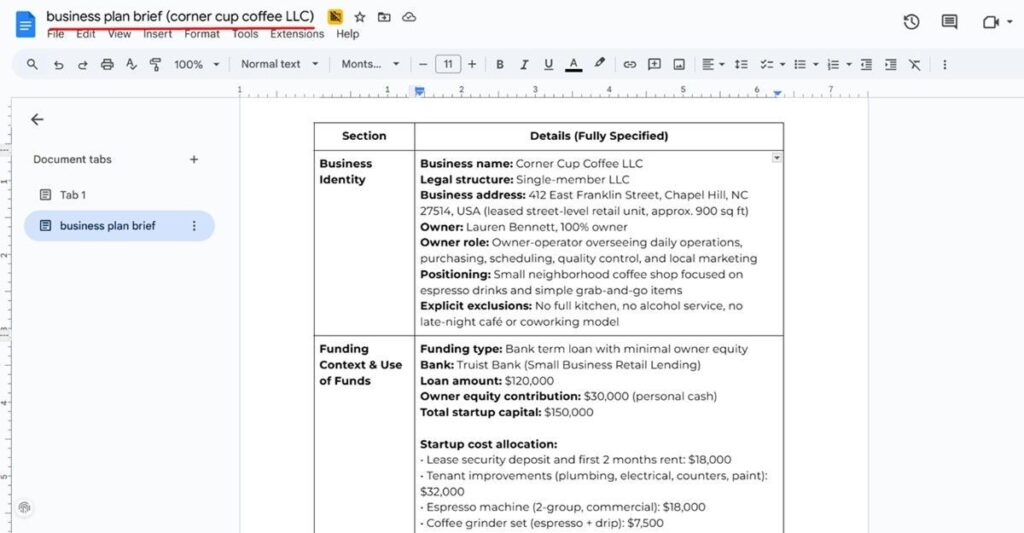
This business plan brief had the following details:
- Business identity (name, legal structure, ownership, etc.)
- Funding context (funding required, owner contribution)
- Startup cost estimates (optional)
- Product and service details
- Business model and pricing
- Operations and staffing (operating hours, staff)
- Market context (location, competitors, target market, etc.)
- And more.
It’s completely fine if you don’t have all these details yet.
You can always use ChatGPT to help you think through and fill in the gaps.

Once you have these details, copy-paste them into a document and save it as a PDF.
For the next step, feel free to include any other documents that provide more context about your business. This could be a company brochure, menu, one-pager, or similar material.
The more context you give AI, the better it understands your business.

Don’t Spend Weeks on Your First Draft
Complete your plan in less than an hour w/ Upmetrics
Turn scattered notes into a business plan (ft. Upmetrics)
#1. Log in to Upmetrics.
#2. Create a Workspace.
On the second screen itself, you’ll see an option to upload documents.
Upload your business plan brief along with any other supporting documents.
Extra tip: If you already have a working website, include that too.
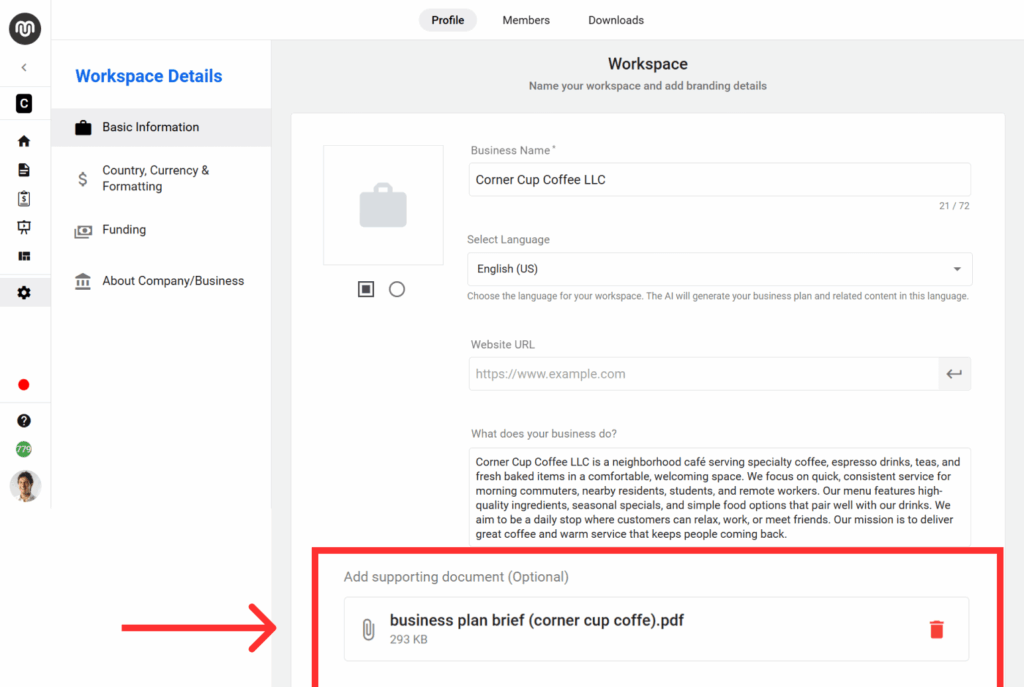
#3. Fill in a few basic details
This includes plan language, funding requirements, industry, country, currency, and a few other setup inputs.
#4. AI generates a set of Q&As from your notes
These questions and answers become the foundation of your business plan.
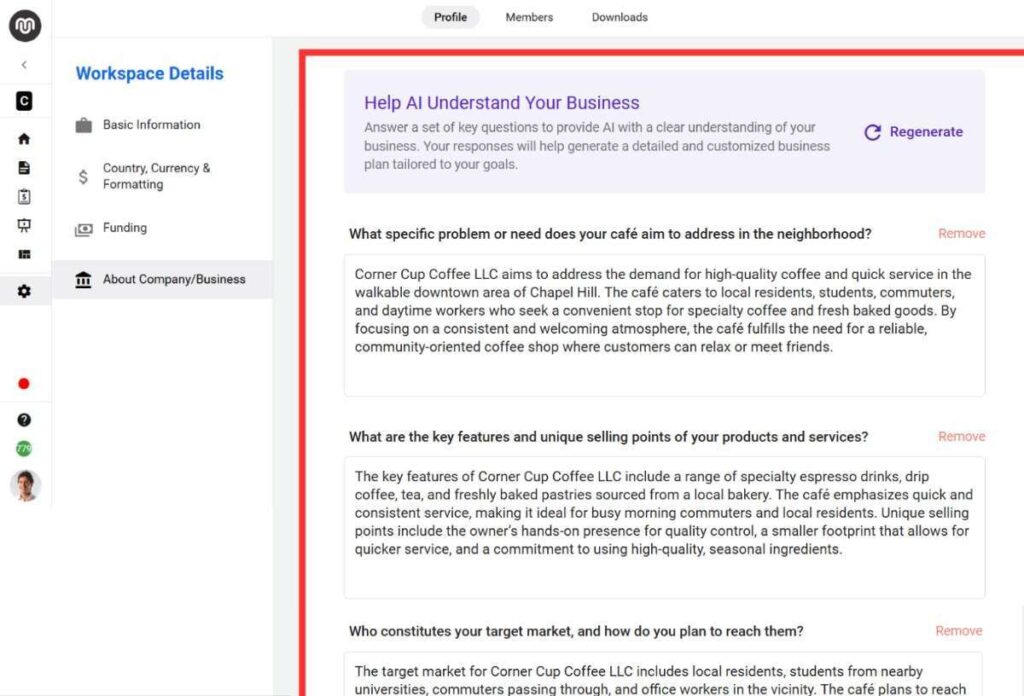
#5. Verify the answers and make edits if needed
This step matters. Treat AI output as a draft, not a final version.
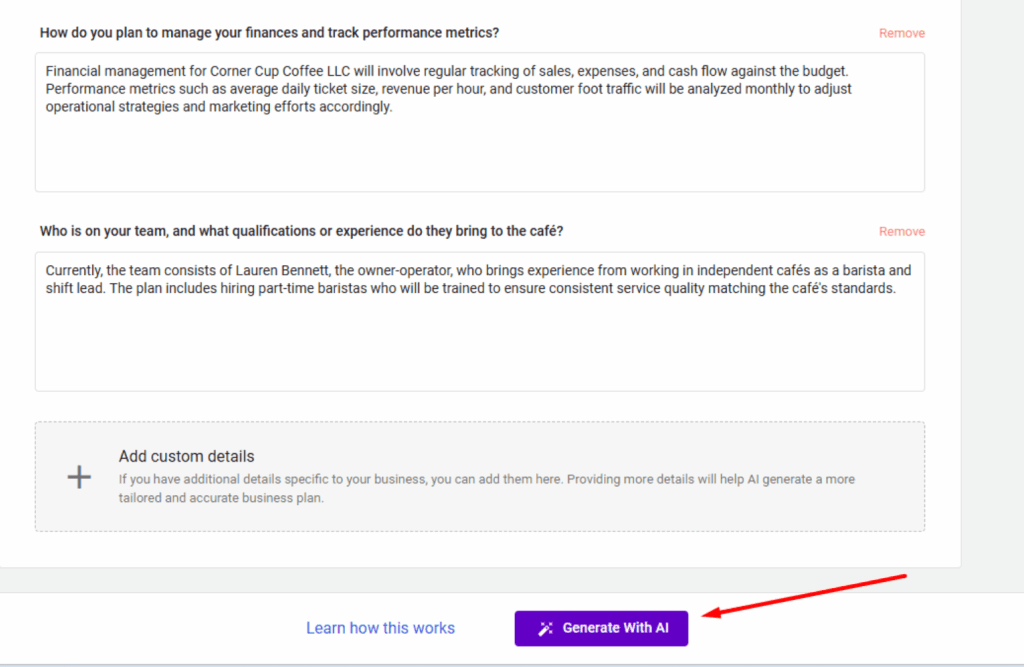
#6. Go to the plan builder and generate your plan using AI
Select “Generate with AI” to create the full plan.
You’re done.
Your plan is ready.
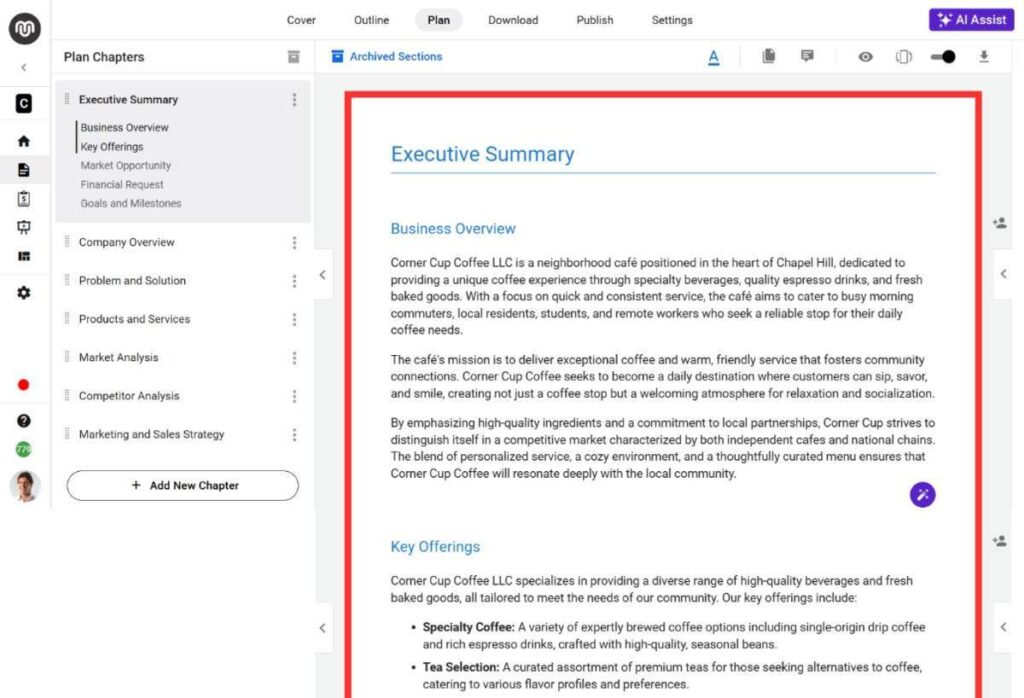
You can now edit, refine, and expand it as needed.
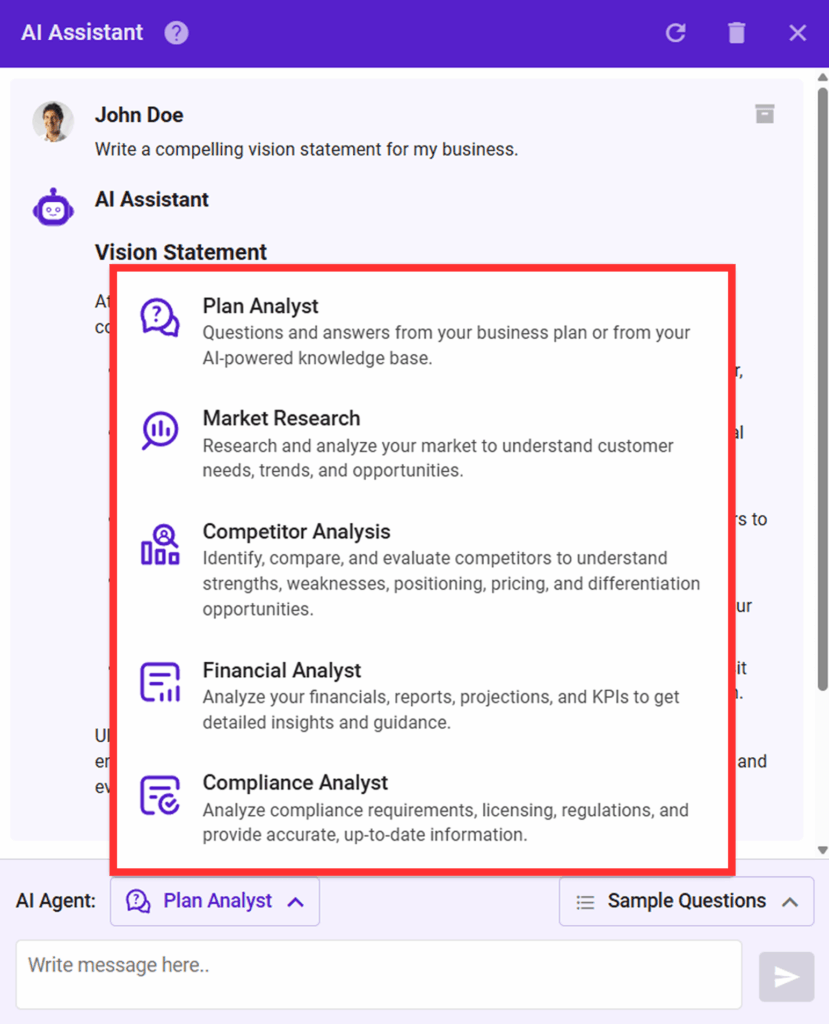
There are custom AI agents available (Plan Analyst, Financial Analyst, Research Assistant) along with an AI writing assistant to help you improve specific sections.
Custom building blocks are also available, so you can drag and drop visual elements and charts into your plan.
You can use the forecasting tool to build financial projections.
All numbers stay auto-synced, so there’s no manual copy-pasting.

Want to see what the final plan looks like?
Explore a sample plan created using Upmetrics
Got any questions?
Let me know if there’s anything I can help with.
If you want personalized guidance or help using Upmetrics for your specific case, feel free to schedule a demo call with our support team.
Thank you so much for sticking till the end.
Wishing you and your team a great start to the year.
Let’s make the 2026 count!
Best,
Vinay

Vinay Kevadia
Vinay Kevadiya is the founder and CEO of Upmetrics, the #1 business planning software. His ultimate goal with Upmetrics is to revolutionize how entrepreneurs create, manage, and execute their business plans. He enjoys sharing his insights on business planning and other relevant topics through his articles and blog posts. Read more
